Best Bird Feeder Camera With No Subscription
Most smart bird feeder brands hold their best features behind an app subscription, so this roundup only includes models whose own listing specifically says "no subscription." That rules out a lot of well-known names, but it leaves a genuine shortlist with real 4K video and AI identification. The Kiwibit Smart Bird Feeder with 4K AI Camera is the strongest of the group, with a cheaper entry point below and one premium pick that pushes further into 4K live video.
The short list
| Tier | Pick | Price | |
|---|---|---|---|
| Beginner | Nafnti Smart Bird Feeder with Camera 5GHz No Subscription | $135.99 | View |
| Intermediate | Kiwibit Smart Bird Feeder with 4K AI Camera Solar Powered | $199.99 | View |
| Expert | Kiwibit Solar Smart Bird Feeder with Camera | $239.99 | View |
Nafnti Smart Bird Feeder with Camera 5GHz No Subscription
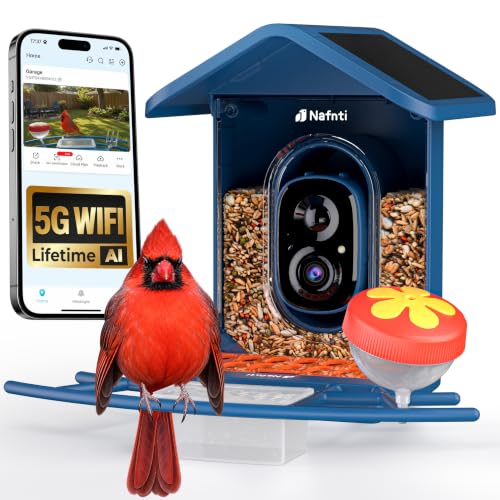
The Nafnti Smart Bird Feeder with Camera lists 5GHz Wi-Fi and no subscription at under $140, the lowest price point among models that explicitly advertise a subscription-free experience. It is solar powered as well, which helps offset the lack of a paid cloud storage tier.
Skip it if: Skip it if you specifically want true 4K resolution; this model is not listed at that tier.
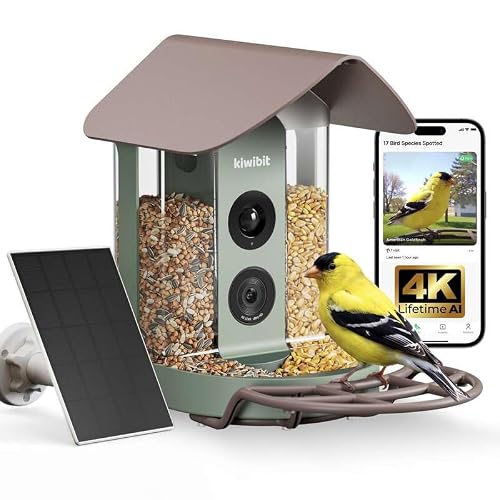
Kiwibit Smart Bird Feeder with 4K AI Camera Solar Powered
The Kiwibit Smart Bird Feeder with 4K AI Camera combines true 4K resolution, solar charging, and a no-subscription listing at under $200, which is the best combination of capability and price in this shortlist.
Skip it if: Not the pick if you want the absolute largest solar panel in the no-subscription lineup.
Kiwibit Solar Smart Bird Feeder with Camera

The Kiwibit Solar Smart Bird Feeder with Camera advertises 4K live video, solar power, and no subscription at just under $240, making it the premium ceiling among models that explicitly rule out a required paid plan.
Skip it if: Skip it if the Intermediate pick above already covers your needs; the price jump buys incremental capability, not a different feature set.
Also worth a look
Other listings in the same category, spread from budget to premium.

What does "no subscription" actually mean on these listings?
When a listing advertises no subscription, it generally means core features such as AI bird identification, motion alerts, and video clips work fully through the free app tier rather than requiring a monthly or yearly plan to unlock. It does not necessarily mean unlimited cloud storage forever; some models rely on a local memory card or a rolling storage window instead of paid cloud backup. Subscription terms and what counts as "free" can change after a product ships, so always check the current plan on the brand's own app store listing before buying, not just the product title.
Why do so few smart feeders advertise this?
Cloud video storage and continuous AI processing cost the manufacturer money to run, so most brands use a subscription to cover that cost for the best features while keeping a free tier that is more limited. Brands that advertise no subscription upfront are usually doing more processing locally on the device or relying on local storage, which is why this shortlist leans on models whose listing states it plainly rather than models we would have to guess about.
What about brands that store clips locally instead of the cloud?
A local-storage design, typically a memory card slot in the feeder itself, avoids a subscription entirely because there is no cloud service to pay for. The trade-off is that you generally have to retrieve the card or connect over local Wi-Fi to see older clips rather than getting instant push alerts to your phone from anywhere. If a listing does not clearly state its storage method, it is worth checking the current product page or manufacturer FAQ rather than assuming.
How do these three compare on price and capability?
| Model | Resolution | Price band |
|---|---|---|
| Nafnti (Beginner) | See listing | Under $140 |
| Kiwibit 4K AI (Intermediate) | True 4K | Under $200 |
| Kiwibit Solar 4K (Expert) | True 4K live video | Under $240 |
How we chose
We did not test these units in person. This shortlist is built from manufacturer listings and published specifications, filtered specifically to models whose own product title or description states no subscription, cross-checked against verified owner reviews for consistency. We left out any feeder where the no-subscription claim was not clearly stated by the manufacturer, even if it seemed likely to be true, because subscription terms are exactly the kind of detail that changes without notice.
Buying tips for a no-subscription bird feeder camera
- Read the current app store listing for the exact model before buying, since subscription policies can shift after a product launches.
- If the feeder relies on local storage, budget for a memory card and confirm the maximum card size it supports.
- No-subscription does not always mean no ongoing cost; some models sell optional accessories like extra batteries or mounting hardware separately.
- Compare AI identification accuracy in owner reviews, since a subscription-free model may use a smaller onboard species library than a subscription-based competitor.
Get the one-page buying checklist
The three picks above, the placement distances and a cleaning schedule on one printable page.
Used only to send the checklist.Buy the picks
Prices move constantly; the button shows the current figure.
Frequently asked questions
Are no-subscription bird feeder cameras less accurate at identifying birds?
Not necessarily, but many rely on identification processed on the device rather than in the cloud, which can mean a smaller species library than a subscription-based competitor with server-side AI. In practice, owner reviews suggest the no-subscription models in this roundup handle common backyard species well, with the biggest gap showing up on less common or juvenile birds.
Can a brand change a no-subscription feeder into a paid one later?
It is possible for a manufacturer to change its app policy after you have already purchased the hardware, since the subscription terms live in the software and can be updated. This is uncommon for features that were free at launch, but it is a real risk worth being aware of. Reading recent owner reviews for complaints about policy changes is a reasonable way to check before buying.
Do no-subscription feeders still need Wi-Fi?
Yes, in almost every case you still need a home Wi-Fi connection for live alerts and remote viewing, even without a subscription. No-subscription refers to not paying for cloud storage or premium AI features, not to the feeder working completely offline. A few local-storage models can operate without constant Wi-Fi, but you typically need a connection at some point to retrieve clips.
Is it worth paying more for a subscription-based feeder instead?
If unlimited cloud storage, the widest possible AI species database, or advanced features like person detection matter to you, a subscription-based model from a larger brand may offer more long-term capability. For most casual backyard birders, though, the no-subscription models in this roundup cover identification and video clips well enough that the ongoing cost is not necessary.
Do these no-subscription feeders still get software updates?
Most reputable brands continue to push firmware and app updates to improve motion detection and identification accuracy even on their free tier, since it keeps the product competitive. That said, update frequency varies by brand and is not always publicly documented, so checking recent owner reviews for mentions of ongoing app support is a reasonable way to gauge how actively a model is maintained.